
Invoice Studio: invoices, quotes and e-invoices without a subscription
Version 3.0 · 5 languages included (English, German, Bosnian, Serbian, Croatian) · instant download · one-time purchase, no subscription
Safe to buy: payment via Digistore24 (e.g. PayPal, credit card, Apple Pay, Google Pay) · One-time $28.90 · 60 days money back · Your data stays on your device
Many self-employed people write invoices in Word or Excel and only notice the missing service date, a typo in the bank details or a missing tax number when the client calls back. Invoice Studio takes over the routine: you enter the client and the items, the app does the maths, checks the required details and creates the PDF or e-invoice.
Buy once. Works offline. Your data stays on your device. No monthly fee. 60 days money back.
One-time payment of $28.90 (sales tax is added at checkout where it applies) · no subscription · 60 days money back
Want to try it first? Open trial mode in your browser: no sign-up, nothing is saved.
What Invoice Studio does for you
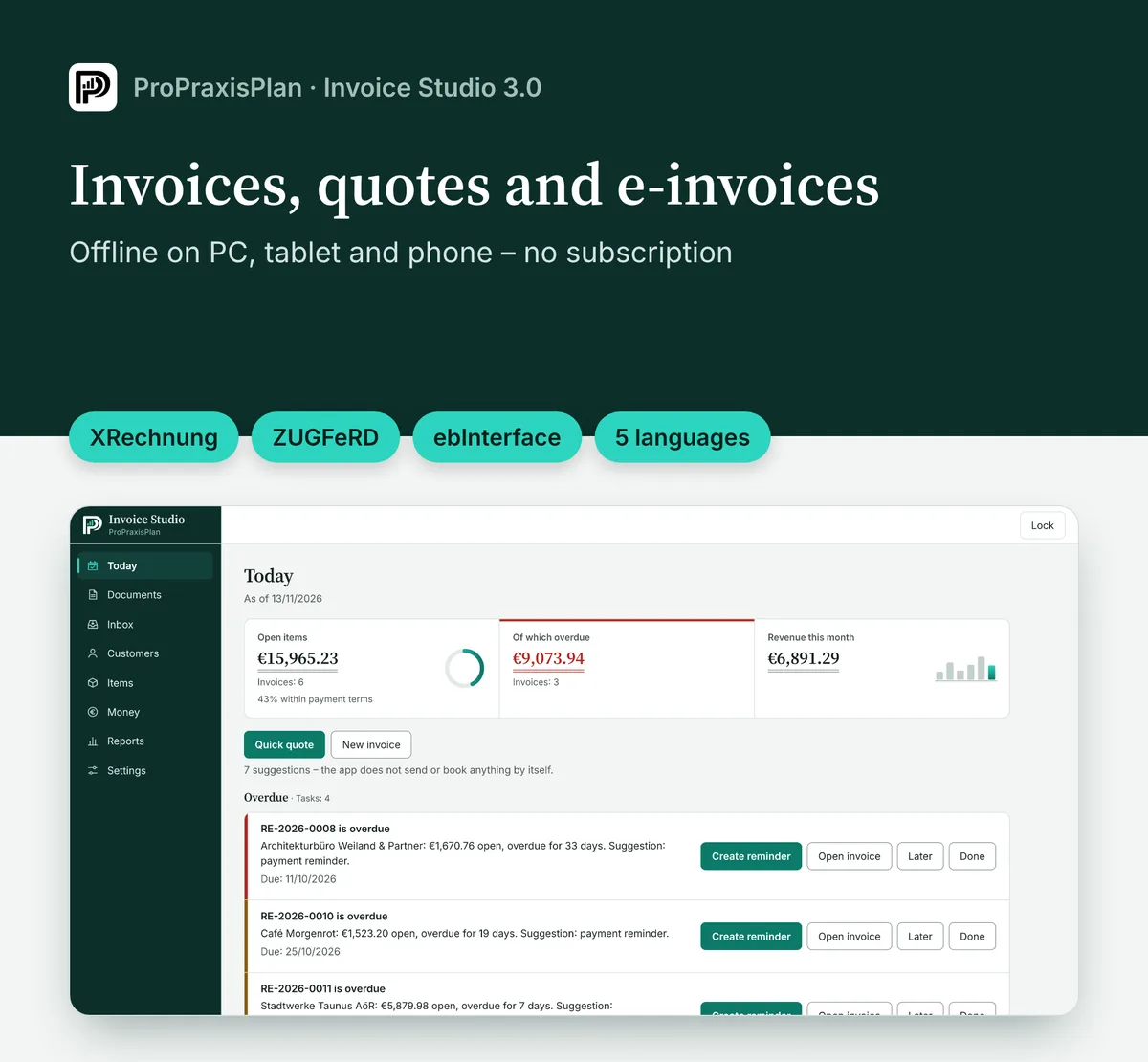
- Invoices and quotes in minutes: pick or type the client, take items from your price list. Totals, tax rates, discounts and deposits are calculated by the app.
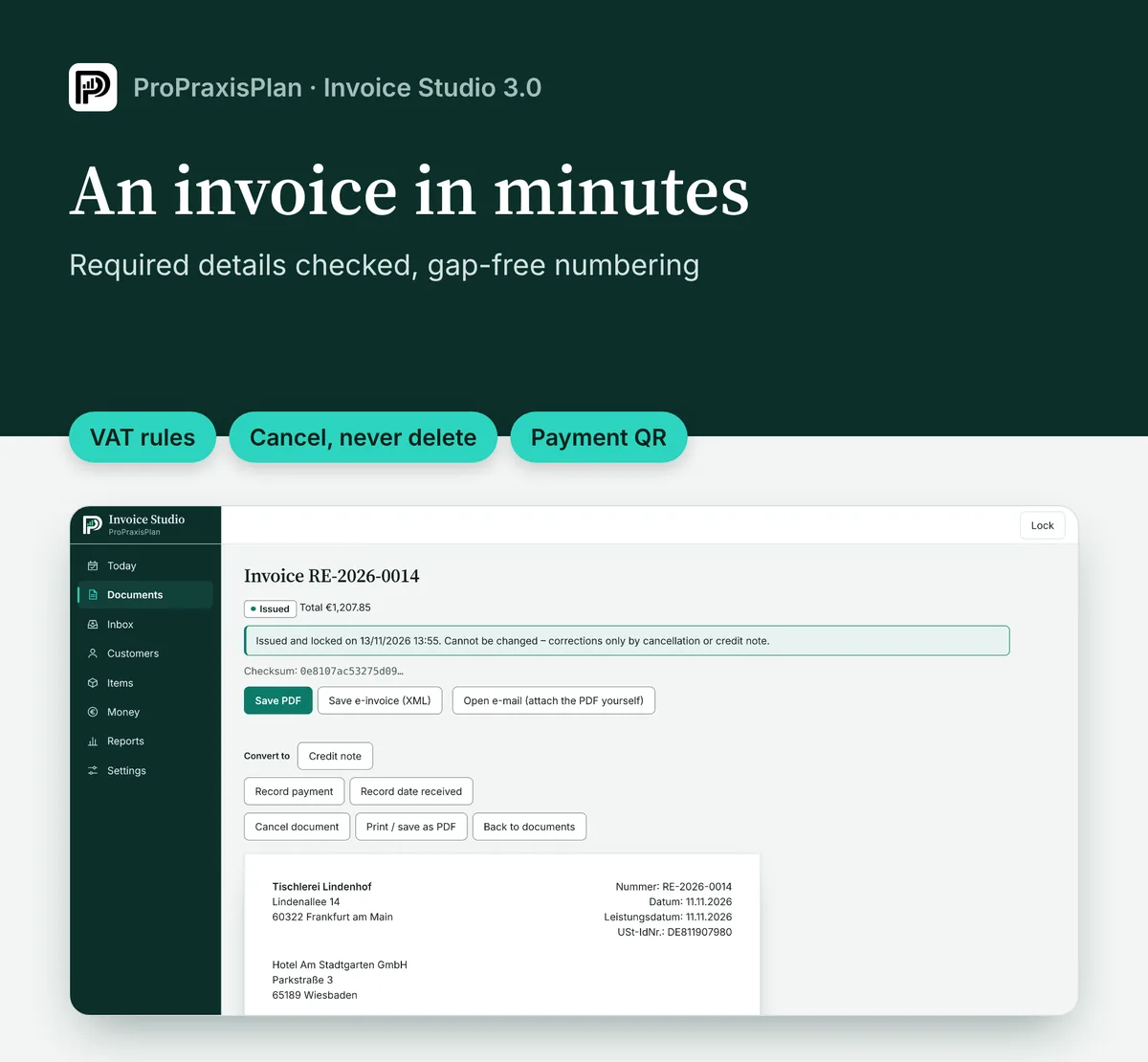
- Invoice check: shows live what is missing, for example service date, tax number, address, a typo in the IBAN or the VAT number for reverse charge. “Fix” takes you straight to the field.
- Clean numbering: consecutive, without gaps. Finished invoices are locked; corrections go through a credit note, so your invoice sequence stays traceable.
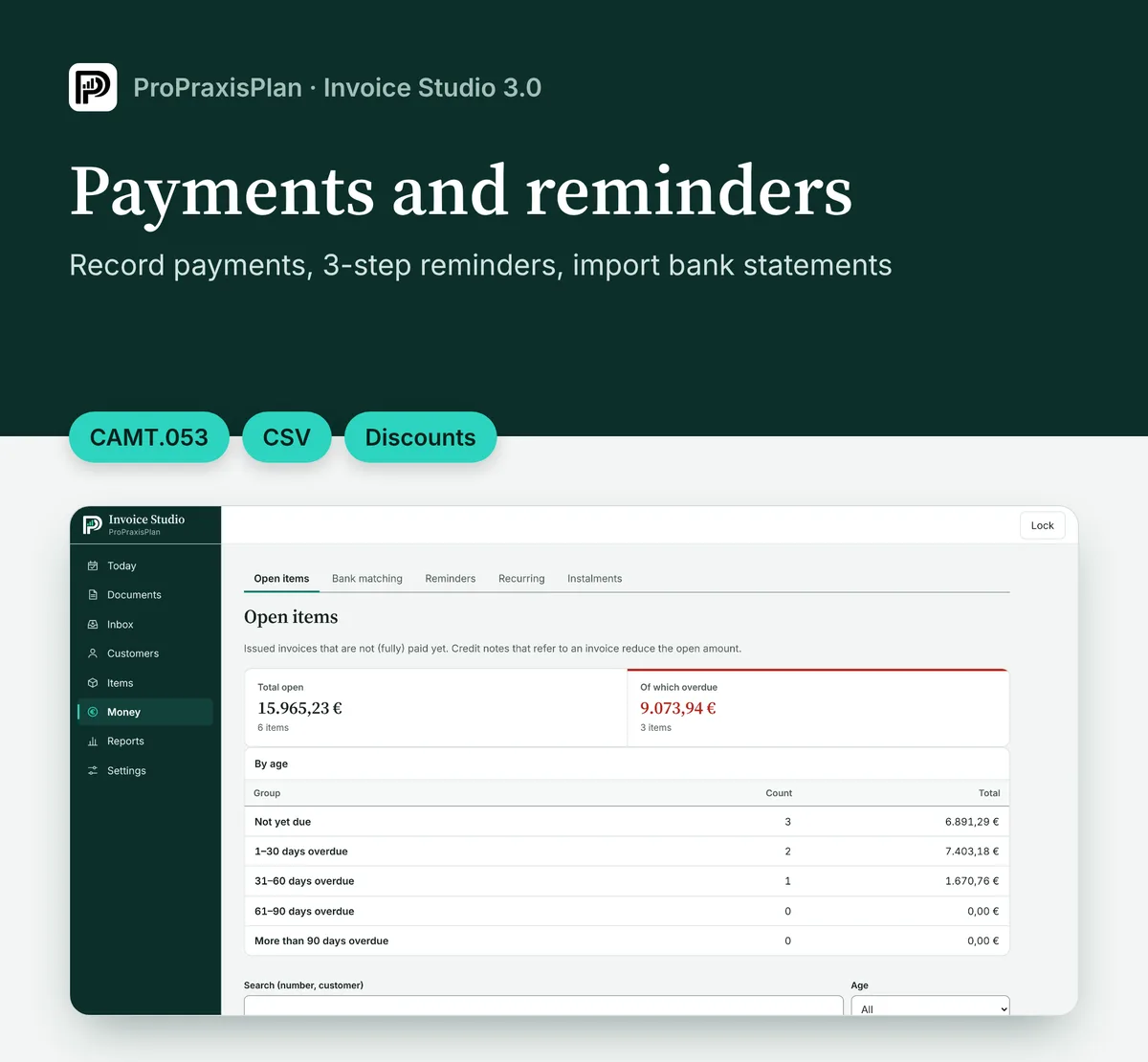
- Payments and reminders: record payments, create a payment reminder or dunning letter as PDF or text, import bank statements (CAMT or CSV).
- Quotes: track their status and turn a quote into an invoice with one click.
- More documents: deposit and final invoices, early-payment discount, recurring invoices, order confirmations and delivery notes.
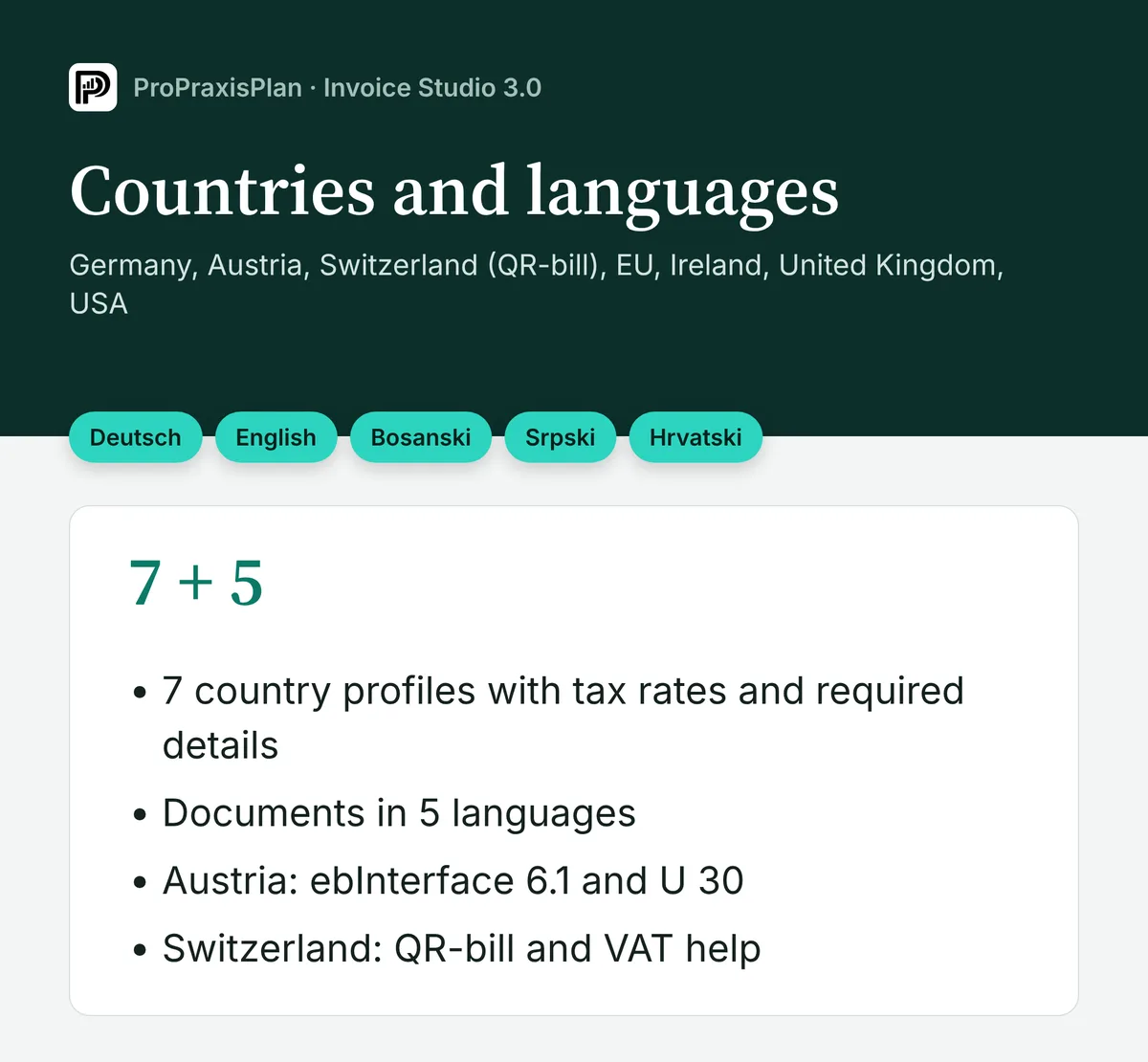
- Professional look: 3 templates, your colour, your logo. The invoice itself is available in all 5 languages.
- Time tracking: record hours and bill them with one click.
- Sign PDFs: add signature, name and date; the app tells you where paper is required.
Tax overviews for your country
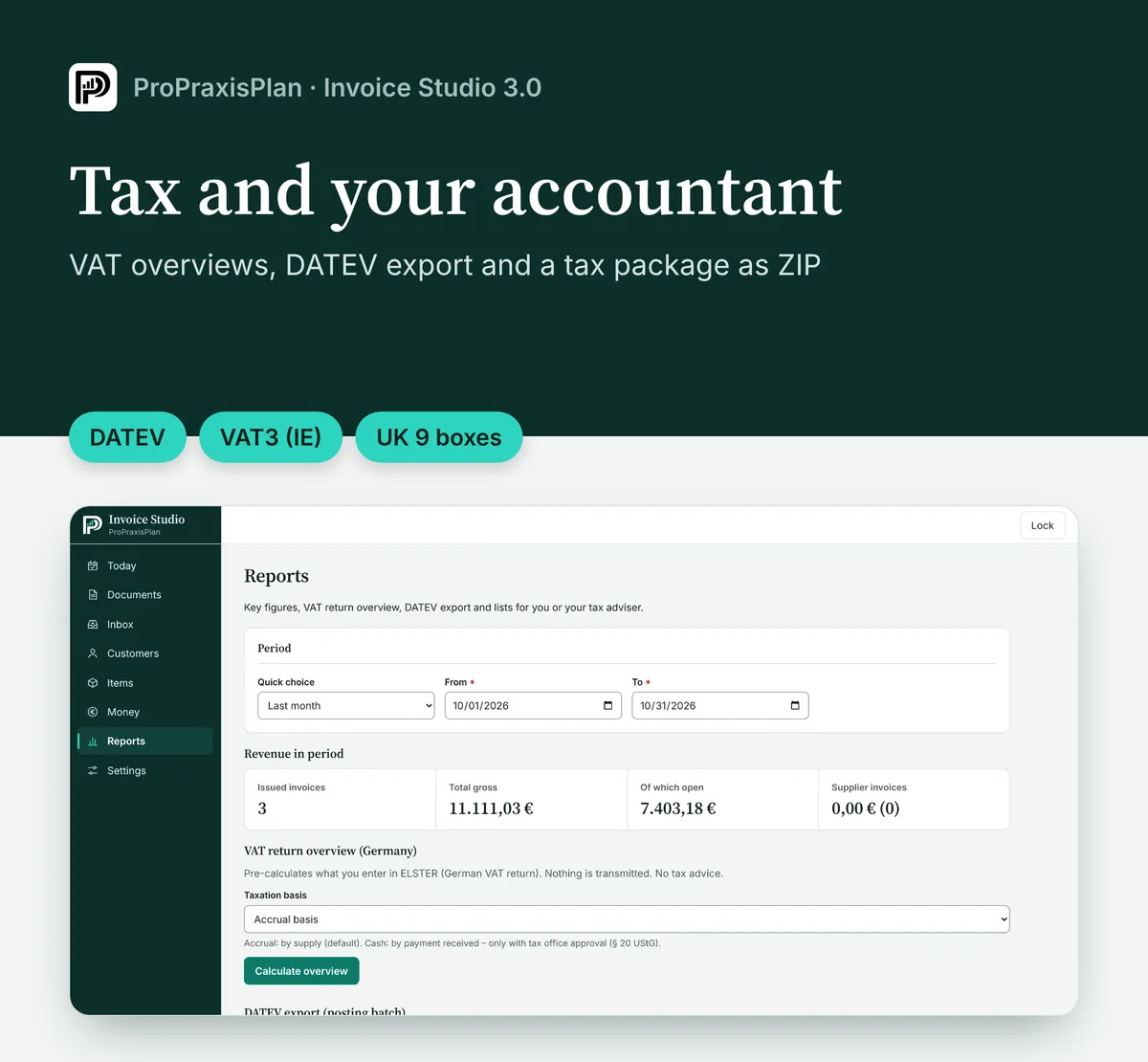
Choose your tax region in the settings. The app then prepares the numbers your accountant asks for:
- United Kingdom: VAT Return with the 9 boxes, as a CSV file for your Making Tax Digital software or your accountant.
- Ireland: VAT overview, VAT3 and VIES return.
- United States: sales tax by state, Schedule C overview, CSV for your CPA or QuickBooks, and a note on 1099-NEC and 1099-K.
- EU: VAT overview by EU rules and EC Sales List.
- Germany, Austria, Switzerland: VAT return overview and DATEV export (Germany), ebInterface 6.1 (Austria), QR-bill (Switzerland).
Everything goes into one tax package as a ZIP for your accountant. The app prepares the numbers; filing is done by you or your accountant.
E-invoices: create and receive
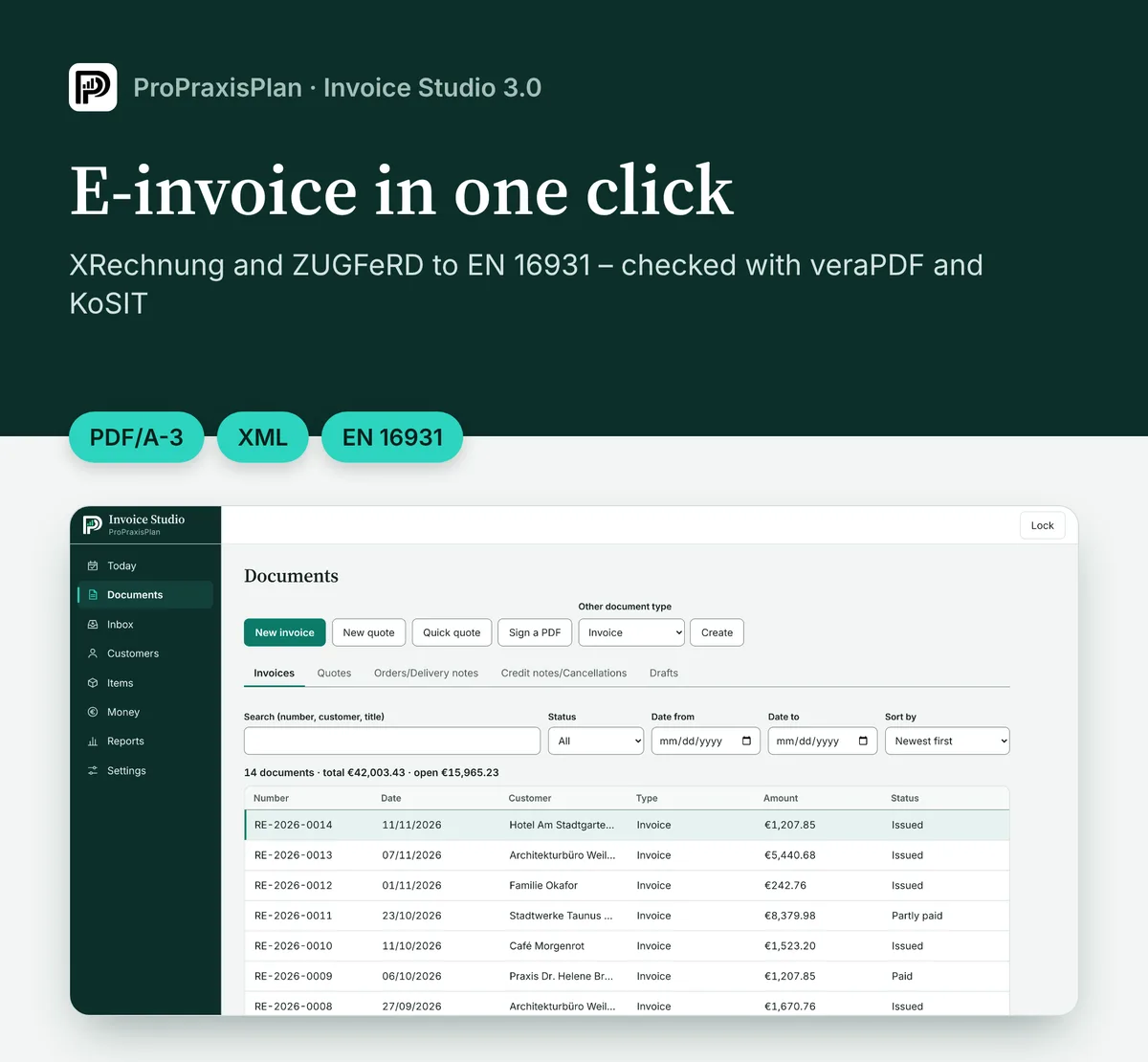
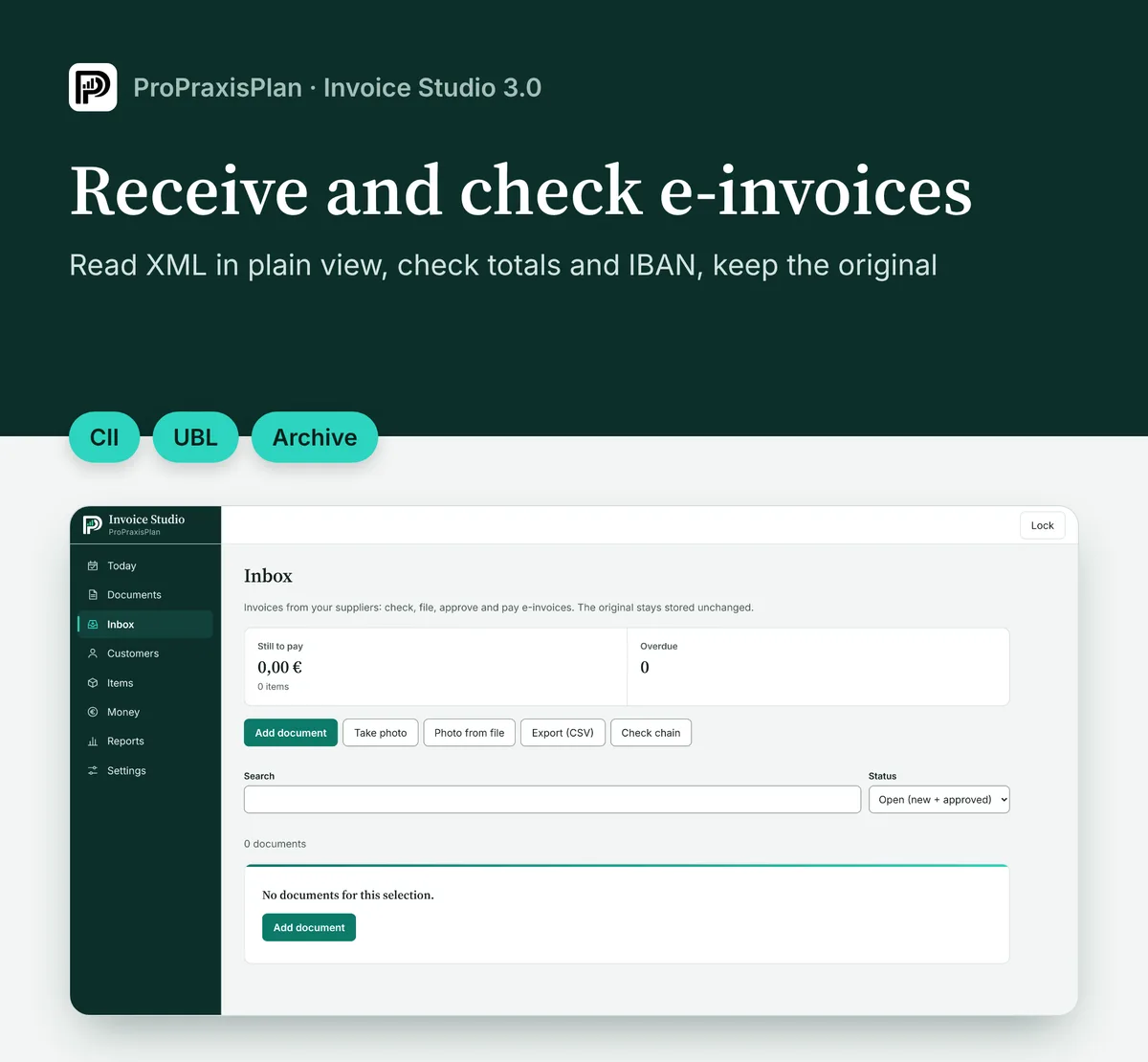
Do you invoice businesses in Germany or other EU countries? Invoice Studio creates e-invoices with one click: ZUGFeRD (PDF/A-3 with embedded XML) and XRechnung (XML) to the European standard EN 16931. We check our files with veraPDF and the KoSIT validator.
Received an e-invoice? Open the XML or ZUGFeRD file (CII or UBL), read it in plain view, let the app check totals and IBAN and keep the original file in the app.
Your data stays with you
The app runs on your device. No account, no cloud. If you like, your data is encrypted with your own password (AES-256-GCM). Save a backup with one click and keep it wherever you like: on a USB stick or in your own cloud (for example OneDrive, Google Drive or iCloud). Not with us.
Who it is for
A good fit for the self-employed, freelancers, tradespeople, service providers and small businesses who want to write invoices and quotes simply and correctly. Not a fit if you need full bookkeeping with a live bank connection or payroll.
What it costs over the years
Many invoicing programs are sold as a monthly subscription. Invoice Studio you buy once for $28.90, with free updates and no follow-up costs.
What you get (instant download, ZIP)
- Invoice Studio as one HTML file: the complete app, starts with a double-click in your browser, also without internet
- Your app link app.propraxisplan.de/rechnung/ to install it on phone, tablet and computer
- PDF guide in English, German and Bosnian/Serbian/Croatian
- Free updates
Runs on computer (Windows and Mac), iPhone, iPad and Android. On a phone or tablet, open app.propraxisplan.de/rechnung/ and tap “Add to Home Screen”. No installation.
How you get the app
Right after ordering, the thank-you page shows the download (ZIP file) and your activation number. You also receive both by email. Nothing is shipped; the product is a download.
Activate once: on first start, enter your name and your activation number (field “Order number”; in your order email it is listed as “Number for app activation”). This needs a short internet connection once. 1 purchase = 1 device. In the first months the app occasionally checks the purchase, only when your device is online; no internet never locks it. Only the number is checked; your data stays on your device.
Frequently asked questions
Do I need technical skills?
No. You type in the client and the items and click buttons. The app calculates totals, tax rates and discounts and shows you when a required detail is missing.
Can I write invoices in English and in US dollars?
Yes. The app and the invoice itself are available in English, German, Bosnian, Serbian and Croatian, with currencies such as USD, GBP, EUR and CHF.
Does it file my tax return?
No. It prepares overviews and CSV files for you or your accountant. Filing with HMRC, Revenue or the IRS is done by you or your accountant.
Is there a free version?
There is a trial mode: you try every feature with your own entries, nothing is saved and PDFs are marked “TRIAL”. To save, you need the activation.
Do I need the internet?
Only briefly to activate. After that everything works offline.
Where is my data?
Only in your browser on your device. There is no account and no outside server that could lose or pass on your data.
What if my computer breaks?
Save a backup with one click, for example on a USB stick. The app reminds you. On a new device you load the backup and carry on.
What if I change my computer or phone?
Save a backup, sign out the old device in the settings with “Sign out this device” and activate the new one with the same number. Then load the backup.
What if I make a typo?
You can change drafts freely. Finished invoices are locked so that the numbering stays without gaps; you correct mistakes with a credit note and a new invoice.
Can I import my client list?
Yes, from Excel or CSV. You see first which column is which, and only “Transfer” saves.
May I use the app in my business?
Yes. The licence covers you and your own business on one device. Passing it on or reselling it is not allowed.
Are there extra costs?
No. You pay once, there is no subscription, and updates are free.
60 days money back
If the app does not suit you, you get the full price back within 60 days of purchase. Write to Digistore24 (link in your order email) or to info@propraxisplan.de. After that the app switches to view-only: your data stays and can still be viewed and exported. This voluntary promise is in addition to your statutory rights.
An invoicing tool. No tax or legal advice; you are responsible for tax rates and exemptions.
Order and payment
Order and payment are handled by Digistore24, which sells the product as a reseller. You pay by PayPal, credit card, Apple Pay or Google Pay, depending on your country. One-time $28.90, ready to use right after purchase.
One-time payment of $28.90 (sales tax is added at checkout where it applies) · no subscription · 60 days money back